Feature Level Upgrades
We always wanted to reward our loyal customers with discounted upgrade prices. Unfortunately, the App Store does not offer such an option. Our previous answer to this problem — upgrade bundles — was rather popular, but had several drawbacks, like unpredictable prices and limited time availability.
Feature Level Upgrades suffer from none of these drawbacks, and even offer advantages over traditional upgrades!
- You can purchase a Feature Level Upgrade from within the app, so there's no need for data and settings migration from the version to the new one.
- New operating system support is provided automatically, free of charge.
- Prices are predictable; you don't have to pay more for the upgrade if you purchased the previous version at a discounted price.
- You can upgrade when it best suits you: upgrades are no longer a limited-time offer.
- And the best of all: these are not subscriptions; you only have to upgrade when you need the new features.
How To Purchase?
Open the "Upgrade..." window from either the app name menu item on macOS, or from the "More" page of the three-stripe menu of an iOS app. Your current level will be displayed, along with any applicable upgrades.
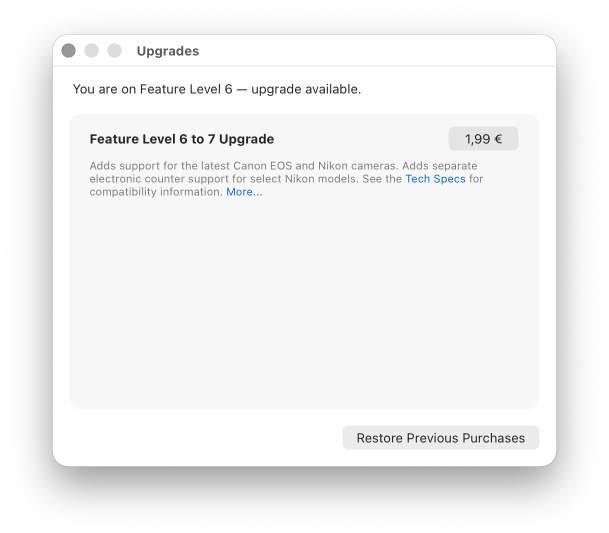
Click/tap the price button and finish the purchase as you normally would for App Store purchases. Once the process completes, the purchased upgrade will disappear from the list and the current level at the top will change to the purchased one.
If you have a universal app (such as Kuuvik Capture, which includes both Mac and iPad versions), you will pay for the upgrade once. On the other platform simply click "Restore Previous Purchases".
The same is true if you have the app installed on multiple devices — purchase on one, and use the "Restore Previous Purchases" button on others.


